 GMB Radar
 Integration
GMBRadar Connector for Claude
Connect your GMBRadar account to Claude and ask about your local rankings in plain language. Claude reads your geo-grid scans, competitors, organic rankings and credit balance, explains what they mean, and can start new scans for you after you confirm.
- Works in Claude on the web, desktop and mobile
- Secure sign-in with your GMBRadar account (OAuth), no API key to copy
- Claude always asks before anything that uses credits or deletes data
What you can do
Analyze geo-grid scans
See where your business ranks at each grid point, which areas it is missing from, and which competitors outrank it there and why.
Track progress over time
Compare runs of the same scan to see whether rankings are improving for a keyword, and which grid points were gained or lost.
Check organic rankings
Review organic scans: whether you appear in the map pack and where your website ranks in Google's web results for each keyword.
Run and schedule scans
Start new geo-grid or organic scans, re-run existing ones, set up recurring schedules, and organize businesses into groups.
Before you start
- A GMBRadar account. Create a free account if you don't have one.
- A Claude account. Custom connectors are available on all Claude plans; the Free plan allows one custom connector.
- On Claude Team and Enterprise plans, an organization Owner may need to add the connector first. Each member then signs in with their own GMBRadar account.
Set up the connector
Option 1: From Claude's connectors directory
- In Claude, open Customize → Connectors (or the + menu in a chat, then Connectors).
- Search for GMBRadar and click Connect.
- Sign in to GMBRadar if asked, then click Allow on the authorization screen.
Option 2: Add it as a custom connector
If GMBRadar isn't listed in your directory yet, add it by URL:
- In Claude, open Customize → Connectors and choose Add custom connector.
-
Name it GMBRadar and paste this server URL:
https://ai.gmbradar.com/mcp - Click Add, then Connect. Sign in to GMBRadar and click Allow.
When you allow access, GMBRadar creates an API key named Claude Connector in your account and Claude uses it on your behalf. You can see it, and revoke it at any time, on your API Access page.
Example prompts
| Ask Claude | What you get |
|---|---|
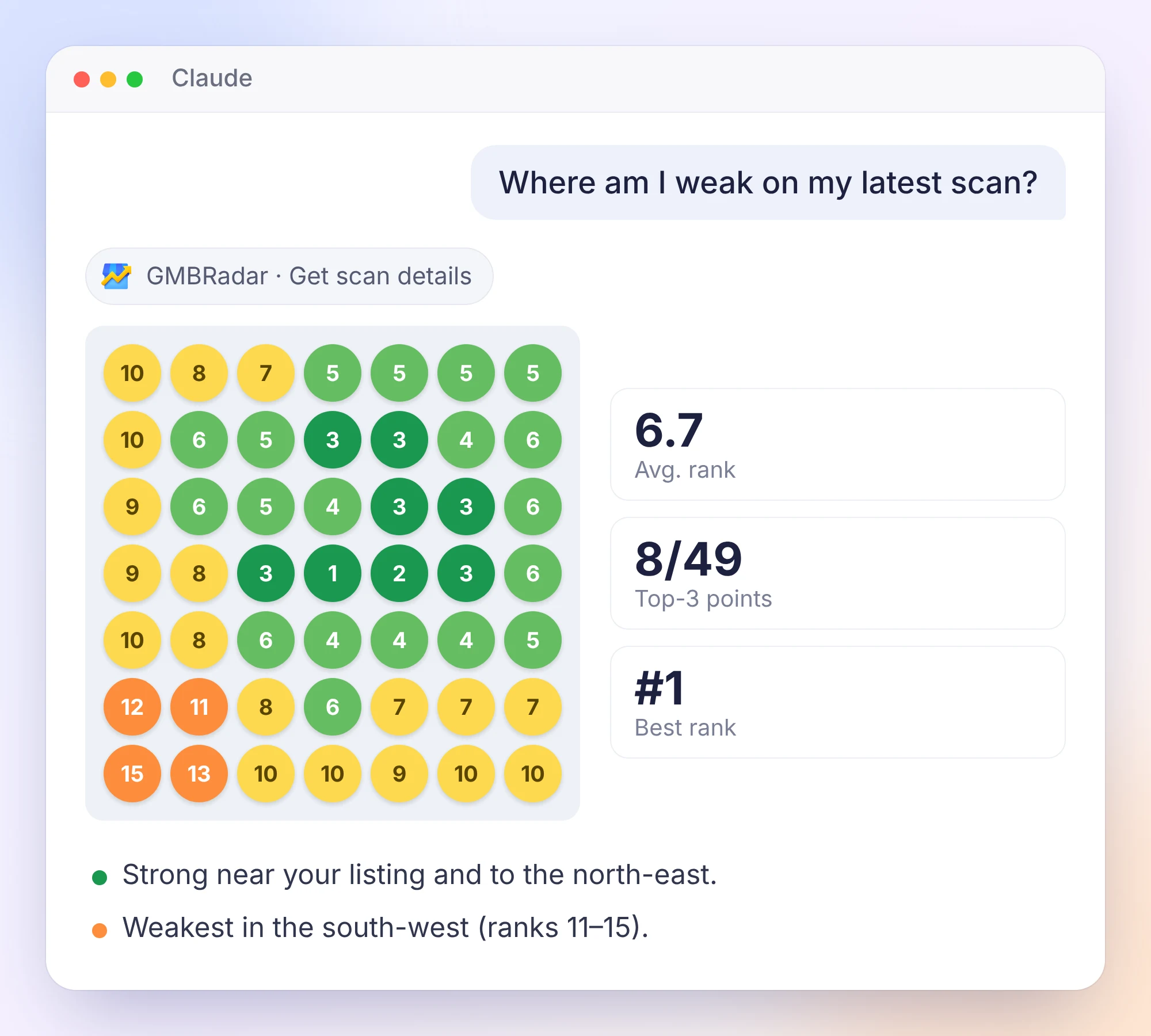
| Analyze my latest GMBRadar scan and tell me where I'm weak on the grid. | Average and best rank, ranked vs. unranked points, weak areas, and the competitors that outrank you there. |
| How has my ranking for "plumber" changed over the last month? | The trend across every run of that scan, with points gained and lost. |
| Compare my business with the top competitor on my latest scan. Where do they beat me? | A point-by-point comparison plus profile differences such as reviews, photos and categories. |
| Show me the rank map for scan 3. | The ranking grid image for that scan, with strong and weak areas described. |
| Run a 7x7 scan with a 3-mile radius for "emergency plumber" on my business. | Claude shows the credit cost and asks you to confirm, then starts the scan. |
| How many credits do I have left, and when do they expire? | Remaining credits per bucket with expiry dates. |
Permissions and credits
- Reading data (businesses, groups, scans, rankings, competitors, organic results, account and credits) runs without extra prompts.
- Actions that use credits (running, re-running or scheduling a geo-grid or organic scan) are marked as destructive, so Claude asks for your confirmation every time. Costs are the same as in the dashboard.
- Deleting data (businesses, groups, scans, organic runs and schedules) also always asks for confirmation.
- Claude can only see the businesses and scans in the GMBRadar account you signed in with.
Disconnect
- In Claude: open Customize → Connectors, select GMBRadar and choose Disconnect or Remove.
- In GMBRadar: revoke the Claude Connector key on your API Access page. Claude loses access immediately, even if it is still connected.
Troubleshooting
- The authorization page says the request expired. Start the connection again from Claude; the sign-in link is valid for 10 minutes.
- Claude says it isn't authorized. Disconnect and reconnect GMBRadar in Claude. If you revoked the Claude Connector key, reconnecting creates a new one.
- A scan fails with insufficient credits. Ask Claude for your credit balance, or top up on the pricing page.
Privacy and support
The connector only returns GMBRadar data that you ask Claude for. GMBRadar does not receive or store your Claude conversations. See the Privacy Policy for what is processed and how long it is kept.
Need help? Contact us and mention the Claude connector.