 GMB Radar
Choosing the right scan layout is an important part of understanding your local rankings. To give you more flexibility, we have introduced a new option in GMB Radar called the Circular Grid.
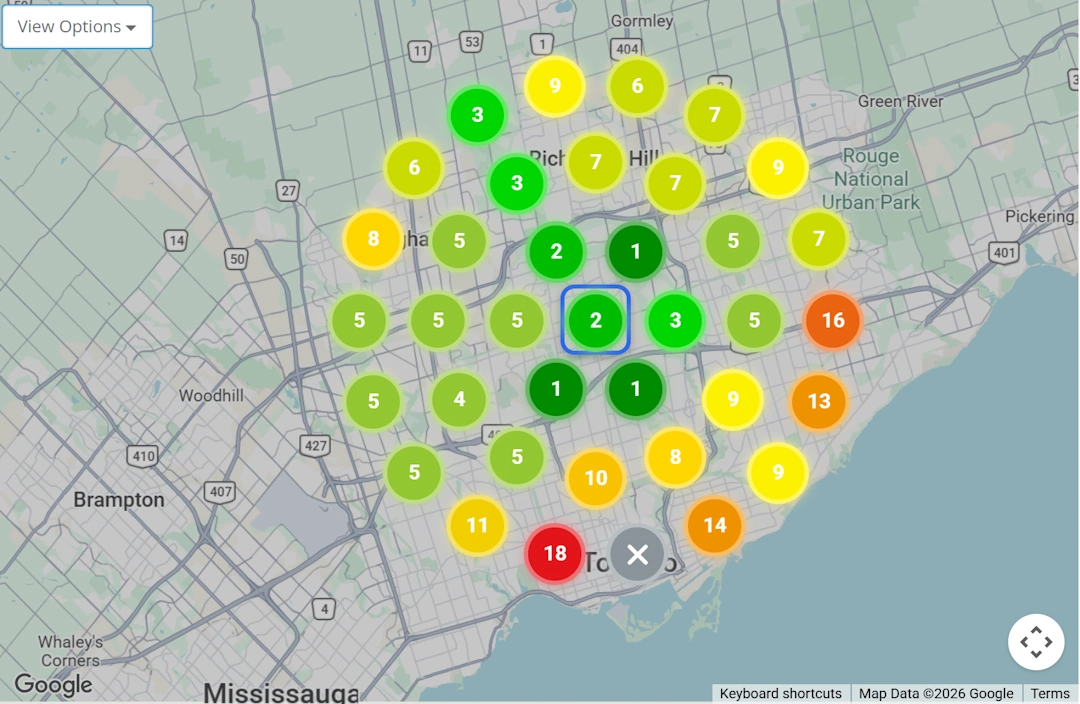
This feature allows you to run ranking scans using a circular arrangement of scan points instead of the classic square grid.
Why This Feature Was Needed
Google's local search results are strongly influenced by the searcher's distance from your business. That distance spreads outward from your location in every direction — in a circle, not a square.
Until now, every scan in GMB Radar used a square grid. Square grids work well, but they have one limitation: the corner points sit farther from your business than the rest of the grid. For example, in a 5 km square grid, the corner points are actually checking locations around 7 km away.
The Circular Grid feature solves this problem by placing scan points in rings around your business, so every point stays within the exact radius you choose.
What is a Circular Grid?
A Circular Grid is a scan layout where the check-points are arranged in evenly spaced rings around your business location.
- Every ring sits at a fixed distance from your business.
- All scan points stay inside the radius you select.
- Your report map displays the same ranking data, in a circular layout.
The square grid is still available, and nothing changes for your existing scans or reports.
How to Run a Circular Grid Scan
You can select the grid shape every time you set up a new scan.
- Go to New Scan.
- Select your business and keyword as usual.
- Locate the Grid Shape option in the scan setup form.
- Choose Circular.
- Set your radius and point density, then start the scan.
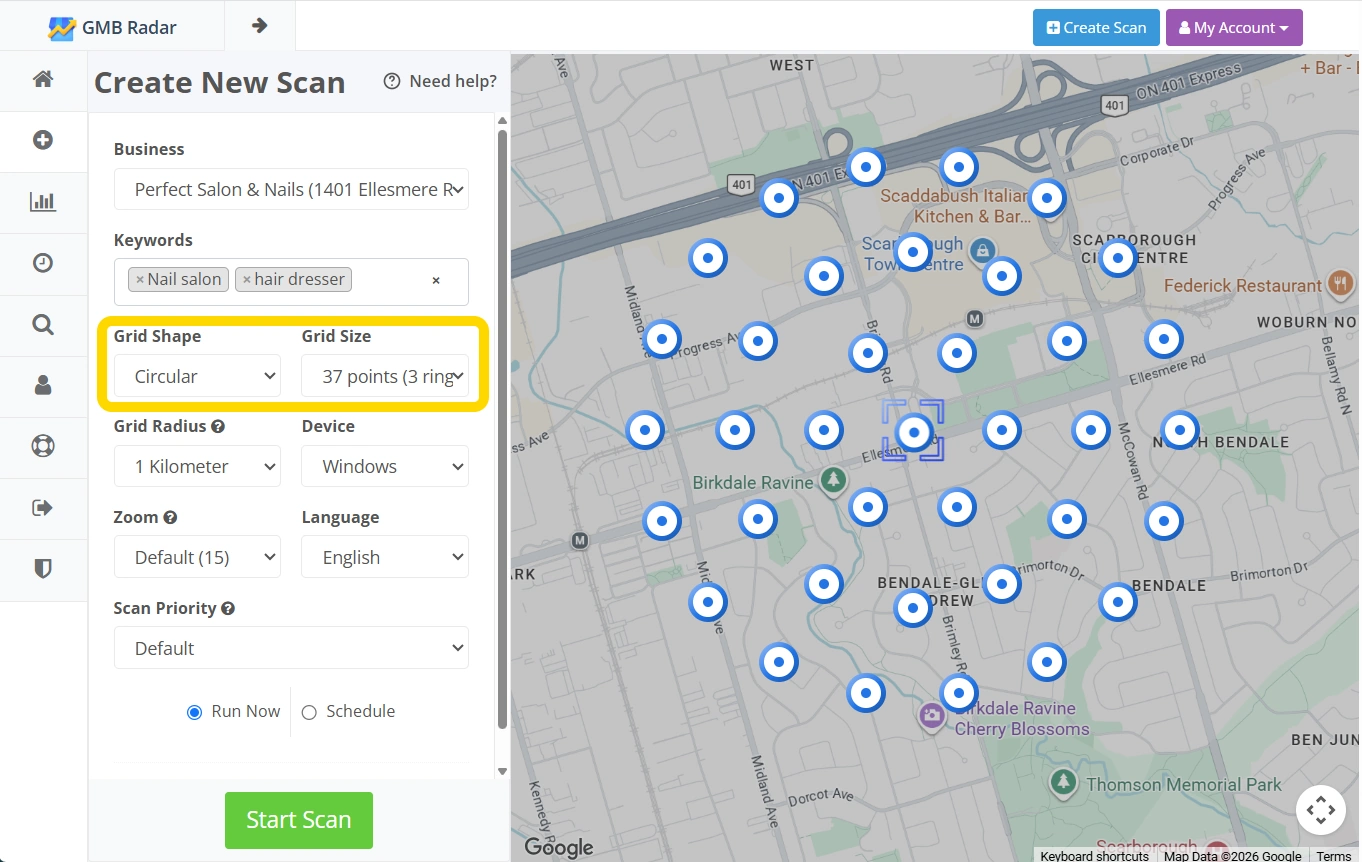
Your scan report will show the circular layout on the map, with all the same metrics and export options you are used to.
When to Use Circular vs Square Grids
Both layouts are useful, and the best choice depends on your situation.
Use a Circular Grid when:
- You want your scan radius to mean exactly what it says
- Your service area is best described by a distance from your location
- You want to see clearly at which distance your rankings start to drop
Use a Square Grid when:
- You want to compare against your existing scan history (keep the layout consistent for accurate comparisons)
- Your service area fits a rectangular shape better than a radius
- You prefer the classic geo-grid look
Benefits of Using a Circular Grid
- Scan points match how proximity actually affects local rankings
- No wasted points beyond your chosen radius
- Easier to spot the exact distance where your visibility drops off
- A truer picture of your coverage for service-area businesses
Final Thoughts
The new Circular Grid feature gives you a scan layout that mirrors how Google's proximity factor really works. It keeps every scan point inside your chosen radius and makes distance-based ranking patterns easier to see at a glance.
The next time you set up a scan in GMB Radar, try the circular layout and compare the results with your usual square grid.